
Start with a Clear Direction
Define the story beat, subject, setting, and visual feeling before generation.
Shape a story, plan the shots, and build connected cinematic scenes.



Move from a clear brief to planned shots and refined scenes.
Define the story beat, subject, setting, and visual feeling before generation.
Give each scene a narrative job, then map the images that support it.
Use framing, camera angle, lighting, and composition to serve the scene.
Carry characters, environments, and visual language across the sequence.
Review one creative choice at a time instead of rebuilding the whole film.
Start with a clear creative decision, then develop and review the result in context.
 STEP 01
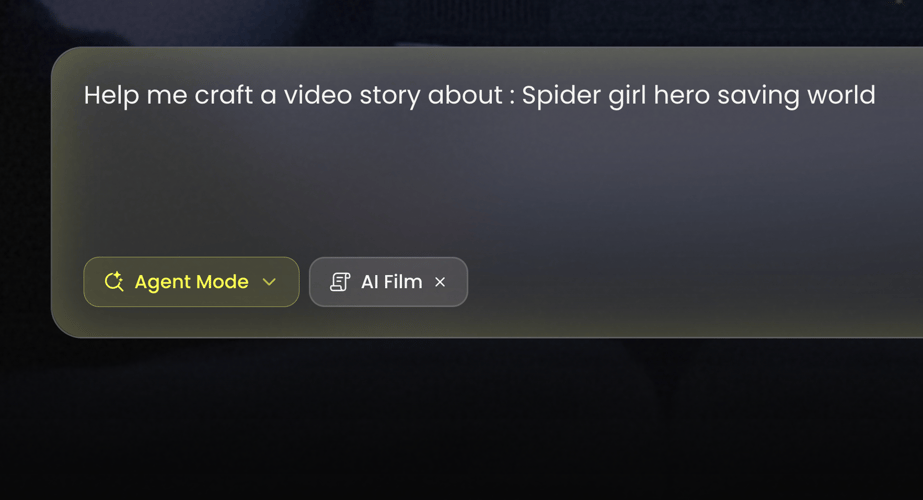
A script can clarify sequence and intention. A treatment can preserve atmosphere and broader story direction.
 STEP 02
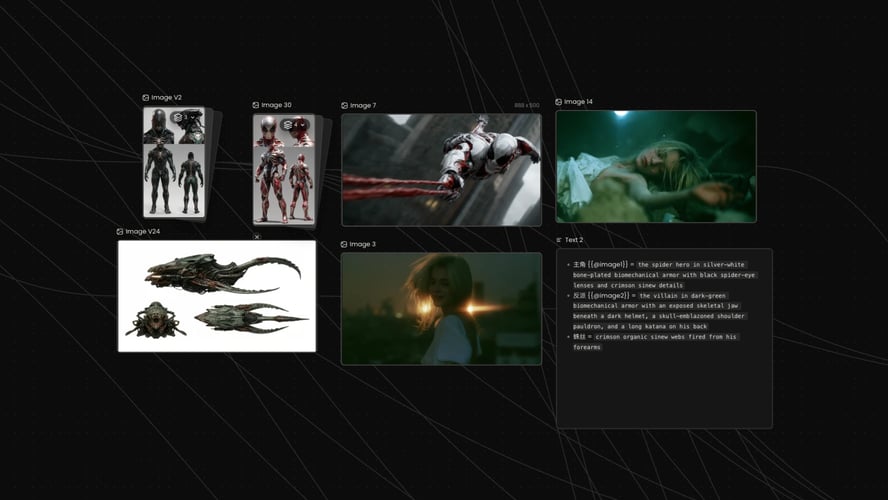
Our AI Film workflow includes a 3×3 multi-camera storyboard for exploring scenes, compositions, camera coverage, and visual rhythm before you bring.
 STEP 03
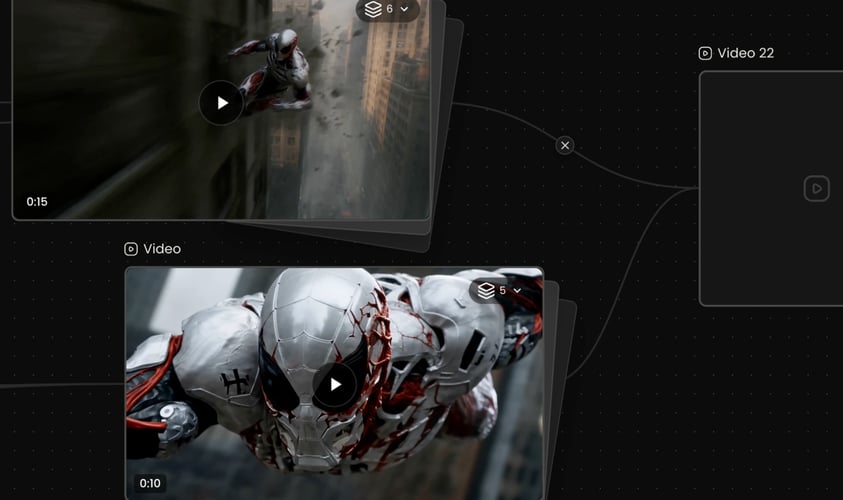
After you create a scene, review it as part of a sequence. Does it set up the next action?
Buzzy
Direction, Review, Creative workflow
Refinement works best when you know what you are changing.
A useful first brief does not have to describe every frame.
Use the first creative decision to guide the next scene or revision.
Review each creative decision in the context of the larger project.
Use the live Buzzy workspace to select the creative route that fits your project.


A useful first brief does not have to describe every frame.
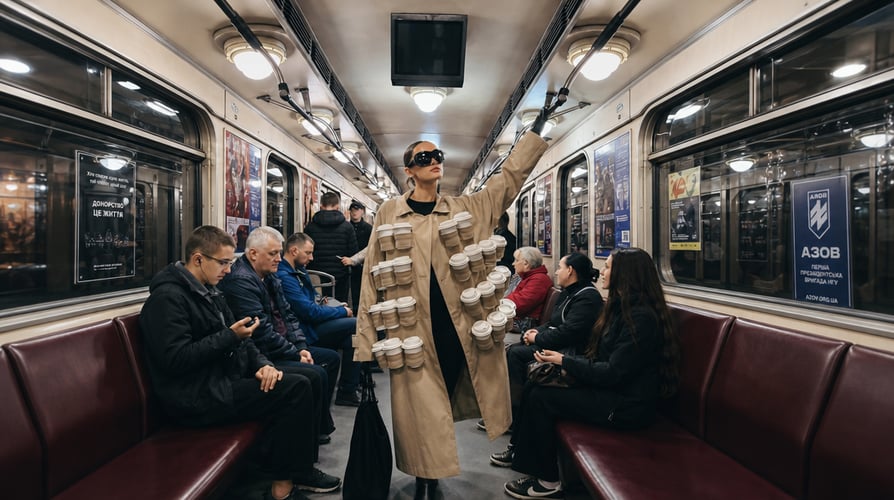
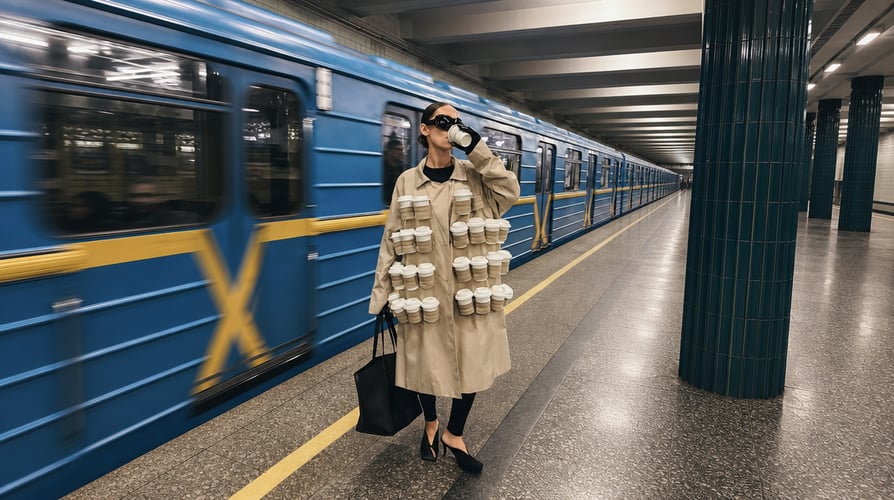
A film idea becomes easier to work with when its scenes have roles. One scene may establish place.


Once a scene has a purpose, direct the parts that shape how it lands.

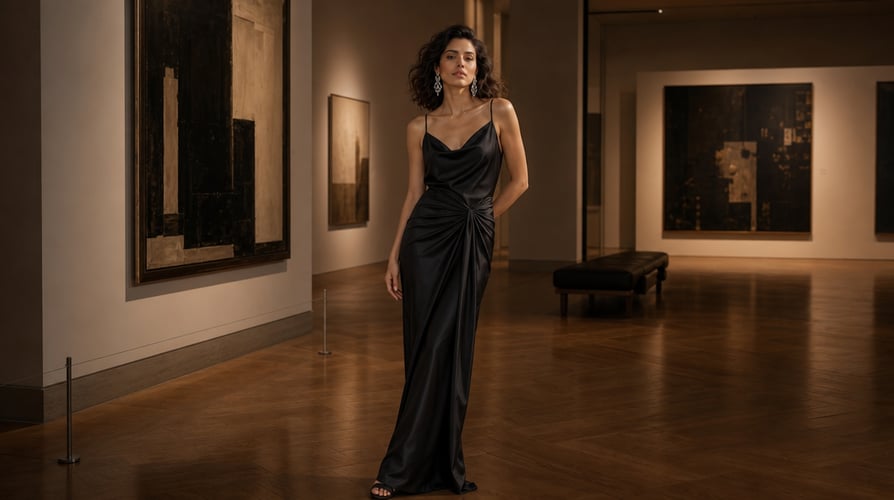
A film is more than one isolated image. It needs scenes that relate to each other through story, character, setting, and visual direction.
Choose the creative workflow that gives your next project a clear starting point.
Answers to common AI Film Maker questions.
Our AI Film Maker helps you develop connected scenes and build a complete film from an idea, script, treatment, or reference image.
Start with your vision: share a story, script, treatment, reference image, or simple idea. Our Creative Agent helps turn that intent into clear film direction.
We help you move through a creative path from story direction to shot planning and connected scenes.
Yes. You can start with a script, as well as a story, treatment, reference image, or simple idea.
Buzzy helps keep characters, costumes, environments, lighting, and visual language consistent across scenes.
AI Film Maker by Buzzy helps you shape a story, plan shots, and create connected cinematic video scenes from an idea, script, or reference image.
A useful first brief does not have to describe every frame. It should give the project a center: the story beat you want to see, the people or subject who carry it, the setting, and the visual feeling that belongs to the moment. Our AI Film Maker can start from a story, script, treatment, reference image, or a simple idea. Choose the input that best expresses what you already know rather than forcing the project into a format that does not fit.
If you have — Give the project — Why it helps the first decision A story or simple idea — The central event, subject, place, and feeling — It establishes what the scene needs to communicate before visual choices accumulate. A script or treatment — The beat, action, and intended shift in the story — It gives your scenes a narrative purpose instead of treating each video moment in isolation. A reference image — The visual elements worth carrying into the direction — It gives you a concrete starting point for the character, environment, mood, or composition.
Pick source material for your AI Film Maker project.
A script can clarify sequence and intention. A treatment can preserve atmosphere and broader story direction. A reference image can make the visual world easier to discuss. A simple idea can be enough when the first goal is to discover a scene. An AI Film Maker project becomes easier to direct when the input names what is essential and leaves room to explore the rest. With an AI Film Maker brief, you decide which source is carrying the story before you ask the scene to carry it.
For example, do not ask a short dramatic moment to carry an entire movie at once. State the immediate situation, who is reacting, and what should change by the end of the scene. If the project is a product story or a visual treatment, define the object or message that needs attention. This keeps the first creative decision legible: you are setting up a moment, not trying to solve every later scene in one instruction.
Name the action and the visual world.
When you describe the scene, distinguish what is happening from how you want it to be seen. The action might be a person entering a room, a character noticing something, or a product moving through an environment. The visual world might involve lighting, an environment, a genre cue, composition, or camera language. In our AI Film Maker, those are complementary directions: one tells the story what to do; the other guides how the video should feel.
This separation is useful when you revise. If the story beat is working but the mood is wrong, keep the action and change the visual direction. If the image is compelling but the moment is unclear, revisit the action. You can work on one decision without discarding the purpose of the scene.
Set a first decision instead of a final promise.
A film develops through choices. Start with a scene that can answer a practical question: What is the opening image? What does the character do? Where should the viewer look first? What should the camera reveal? Buzzy’s Creative Agent helps turn your creative intent into clear film direction, so your first pass has a defined job.
That approach also makes feedback more useful. Rather than judging an entire movie in a single pass, review whether this scene communicates its beat, whether the composition supports it, and whether the visual direction belongs to the same story. Our AI Film Maker is designed to help you move from that first decision toward a connected sequence of scenes. The AI Film Maker workflow remains practical when each review has one decision to resolve.
A film idea becomes easier to work with when its scenes have roles. One scene may establish place. Another may introduce a character, add a complication, or give a visual pause before the next movement. In Buzzy, you can develop the story, plan the shots, and create connected scenes rather than treating each video as a detached prompt.
Give each scene a narrative job.
Ask what the scene must contribute before deciding how much it needs to show. An opening can create expectation. A close moment can reveal a reaction. A wider view can establish a world. A transition can shift time, place, or emotional tone. This gives the story a sequence of understandable decisions and lets you judge a video by its role in the film.
For an AI Film Maker workflow, that means you can begin with the backbone of the movie: a sequence of meaningful moments. You do not need to describe every camera angle before you know why a shot exists. As the project takes shape, add the visual information that serves each scene’s job.
Map the images before you generate scenes.
Our AI Film workflow includes a 3×3 multi-camera storyboard for exploring scenes, compositions, camera coverage, and visual rhythm before you bring the film to life. Use the storyboard stage to look at the options a scene presents. Is the audience meant to observe from a distance, stay with a character, or notice a detail? Is the moment about movement, stillness, or a reveal?
Planning this way gives you a place to make choices about framing and rhythm before the project expands. It also helps a script, treatment, or image become a series of visual questions rather than a single block of text. With Buzzy, an AI Film Maker project can move from a story direction to shots that have a shared purpose. This gives an AI Film Maker project a visual plan before it asks a sequence to hold together.
Keep the creative brief usable as the story grows.
As you add scenes, keep the descriptions focused on the choices that need to persist: the character, costume, environment, lighting, and visual language of the film. Buzzy helps maintain these elements across scenes so the project can read as one coherent world. That does not mean every shot must look identical. It means changes should feel intentional because they belong to the story.
A practical brief can be short and still useful. Repeat the important identifiers when a scene needs to connect to an earlier one, then specify the new action or camera decision. This gives the film a stable foundation while allowing each video scene to contribute something new.
Once a scene has a purpose, direct the parts that shape how it lands. Buzzy lets you build a storyboard, shape composition, switch camera angles, relight a scene, and refine the characters, style, and visual world. These are creative decisions, not a checklist you must fill in every time.
Use composition to decide what matters now.
Composition helps establish what the viewer sees first and what can remain in the background. A closer view may hold attention on a reaction or detail. A wider composition may explain the environment or make a character feel small within it. When you choose a frame, connect it to the scene’s purpose instead of adding visual detail for its own sake.
Our AI Film Maker gives you room to work through those choices alongside the story. If the image needs more context, revisit the setting or framing. If the action needs more emphasis, reconsider where the camera is placed. Small visual changes can alter the meaning of the same narrative beat.
Switch angles when the story needs a new view.
Different camera angles can reveal different information about a moment. An angle might follow action, hold on a face, introduce an environment, or make space for a later cut. In Buzzy, you can switch between cinematic camera angles as you shape the framing and atmosphere of a shot.
Use that choice with intention. A new angle is helpful when it changes what the viewer understands or feels, not simply because the project needs more coverage. In an AI Film Maker process, each angle can support a new part of the same scene while staying connected to the creative direction you set earlier. Your AI Film Maker direction can name the change in view as clearly as it names the action.
Relight and refine without losing the scene.
Lighting and atmosphere can change the tone of a scene without changing its event. Buzzy lets you relight scenes in real time so you can shape mood while preserving the action. You can also refine a specific object, detail, color, or visual element with frame-level precision while preserving the parts of the shot that already work.
This gives you a focused way to revise. If the story is right but the mood is not, address the lighting or visual language. If a detail distracts from the subject, revise that element while keeping the rest of the scene in view. Our AI Film Maker is built for this kind of directed adjustment as the film becomes more specific.
A film is more than one isolated image. It needs scenes that relate to each other through story, character, setting, and visual direction. Buzzy helps you generate connected scenes, explore new takes, and bring shots together into a complete cinematic film. The goal is to make deliberate connections as the project moves forward.
Carry character and style decisions across the project.
Characters, costumes, environments, lighting, and visual language all affect continuity. Buzzy helps you keep these choices consistent across scenes while you continue to develop the film. When the same character returns, make the connection clear in the direction. When the story moves to a new place or changes mood, explain what should remain familiar and what should change.
An AI Film Maker workflow benefits from that distinction. Continuity is not only about repeating a face or location. It is also about keeping the film’s visual rules understandable: how the world is lit, what kind of camera language belongs to it, and which details define the character’s presence.
Review a scene in relation to the next one.
After you create a scene, review it as part of a sequence. Does it set up the next action? Does the end of the moment leave room for the following image? Does a change in lighting, composition, or environment feel motivated by the story? These questions help you notice connections that a single video cannot answer alone.
Buzzy helps you develop longer stories across multiple scenes, from the opening shot to the final cut. Use the review stage to decide whether a new take should clarify the scene, carry a character decision forward, or create a stronger transition. Our AI Film Maker supports an iterative process in which the film gains shape one connected choice at a time. In that process, the AI Film Maker is a place to test the next connection without losing the logic of the earlier scene.
Develop films for a range of creative work.
Our AI Film workflow is built for filmmakers, directors, advertising teams, social creators, and independent creators developing trailers, short films, visual treatments, and proof-of-concepts. The shared need is not a single genre; it is a way to take an idea seriously enough to plan the scenes and visual direction around it.
A brief trailer may need a focused sequence of images. A short film may need a more developed arc. A treatment may need to make a world and camera approach visible before production begins. Buzzy helps you use story direction, shot planning, and connected scenes as the building blocks for each of these creative paths.
Refinement works best when you know what you are changing. If a scene does not yet work, name the issue before starting again. The action may be unclear. The composition may not guide attention. The angle may not reveal the right part of the moment. The lighting may not match the intended atmosphere. This kind of diagnosis keeps revision connected to the film rather than turning it into random variation.
Buzzy lets you generate and adjust as you build the project. You can explore new takes, revise the prompt or direction, and continue shaping the sequence. When you make a change, keep the elements that already serve the story and focus on the decision that needs work.
Refine story clarity before visual decoration.
A visually interesting image is not automatically a useful scene. First ask whether the video communicates the action, subject, and emotional shift it needs to carry. If it does not, simplify the direction. Make the character’s objective clearer, make the environment relevant to the event, or choose a framing that supports the beat.
Then revisit cinematic choices such as lighting, composition, angle, and visual style. These choices can deepen the scene once the story is understandable. Buzzy’s step-by-step creative guidance helps keep that order practical: shape the story, plan the shots, create connected scenes, and refine the film as it develops.
This is where an AI Film Maker project benefits from restraint: strengthen the scene’s purpose first, then make the visual direction serve it.
Preserve what already supports the scene.
Revision does not have to erase the useful parts of a shot. If the character, composition, or action is working, identify that in your next direction and focus on the detail that needs attention. Buzzy’s frame-level editing is designed for changing a specific object, color, detail, or visual element while preserving the rest of the shot.
This makes the creative process more precise. You can improve the part that is not serving the scene without losing the decisions that already do. As you move from one video scene to the next, that discipline helps the larger film keep its own visual logic.
A script can clarify sequence and intention. A treatment can preserve atmosphere and broader story direction. A reference image can make the visual world easier to discuss. A simple idea can be enough when the first goal is to discover a scene. An AI Film Maker project becomes easier to direct when the input names what is essential and leaves room to explore the rest. With an AI Film Maker brief, you decide which source is carrying the story before you ask the scene to carry it.
For example, do not ask a short dramatic moment to carry an entire movie at once. State the immediate situation, who is reacting, and what should change by the end of the scene. If the project is a product story or a visual treatment, define the object or message that needs attention. This keeps the first creative decision legible: you are setting up a moment, not trying to solve every later scene in one instruction.
Our AI Film workflow includes a 3×3 multi-camera storyboard for exploring scenes, compositions, camera coverage, and visual rhythm before you bring the film to life. Use the storyboard stage to look at the options a scene presents. Is the audience meant to observe from a distance, stay with a character, or notice a detail? Is the moment about movement, stillness, or a reveal?
Planning this way gives you a place to make choices about framing and rhythm before the project expands. It also helps a script, treatment, or image become a series of visual questions rather than a single block of text. With Buzzy, an AI Film Maker project can move from a story direction to shots that have a shared purpose. This gives an AI Film Maker project a visual plan before it asks a sequence to hold together.
After you create a scene, review it as part of a sequence. Does it set up the next action? Does the end of the moment leave room for the following image? Does a change in lighting, composition, or environment feel motivated by the story? These questions help you notice connections that a single video cannot answer alone.
Buzzy helps you develop longer stories across multiple scenes, from the opening shot to the final cut. Use the review stage to decide whether a new take should clarify the scene, carry a character decision forward, or create a stronger transition. Our AI Film Maker supports an iterative process in which the film gains shape one connected choice at a time. In that process, the AI Film Maker is a place to test the next connection without losing the logic of the earlier scene.
Direction, Review, Creative workflow
Refinement works best when you know what you are changing. If a scene does not yet work, name the issue before starting again. The action may be unclear. The composition may not guide attention.
A useful first brief does not have to describe every frame. It should give the project a center: the story beat you want to see, the people or subject who carry it, the setting, and the visual feeling…
Use the first creative decision to guide the next scene or revision.
Review each creative decision in the context of the larger project.
A useful first brief does not have to describe every frame. It should give the project a center: the story beat you want to see, the people or subject who carry it, the setting, and the visual feeling that belongs to the moment. Our AI Film Maker can start from a story, script, treatment, reference image, or a simple idea. Choose the input that best expresses what you already know rather than forcing the project into a format that does not fit.
If you have — Give the project — Why it helps the first decision A story or simple idea — The central event, subject, place, and feeling — It establishes what the scene needs to communicate before visual choices accumulate. A script or treatment — The beat, action, and intended shift in the story — It gives your scenes a narrative purpose instead of treating each video moment in isolation. A reference image — The visual elements worth carrying into the direction — It gives you a concrete starting point for the character, environment, mood, or composition.
Pick source material for your AI Film Maker project.
A script can clarify sequence and intention. A treatment can preserve atmosphere and broader story direction. A reference image can make the visual world easier to discuss. A simple idea can be enough when the first goal is to discover a scene. An AI Film Maker project becomes easier to direct when the input names what is essential and leaves room to explore the rest. With an AI Film Maker brief, you decide which source is carrying the story before you ask the scene to carry it.
For example, do not ask a short dramatic moment to carry an entire movie at once. State the immediate situation, who is reacting, and what should change by the end of the scene. If the project is a product story or a visual treatment, define the object or message that needs attention. This keeps the first creative decision legible: you are setting up a moment, not trying to solve every later scene in one instruction.
Name the action and the visual world.
When you describe the scene, distinguish what is happening from how you want it to be seen. The action might be a person entering a room, a character noticing something, or a product moving through an environment. The visual world might involve lighting, an environment, a genre cue, composition, or camera language. In our AI Film Maker, those are complementary directions: one tells the story what to do; the other guides how the video should feel.
This separation is useful when you revise. If the story beat is working but the mood is wrong, keep the action and change the visual direction. If the image is compelling but the moment is unclear, revisit the action. You can work on one decision without discarding the purpose of the scene.
Set a first decision instead of a final promise.
A film develops through choices. Start with a scene that can answer a practical question: What is the opening image? What does the character do? Where should the viewer look first? What should the camera reveal? Buzzy’s Creative Agent helps turn your creative intent into clear film direction, so your first pass has a defined job.
That approach also makes feedback more useful. Rather than judging an entire movie in a single pass, review whether this scene communicates its beat, whether the composition supports it, and whether the visual direction belongs to the same story. Our AI Film Maker is designed to help you move from that first decision toward a connected sequence of scenes. The AI Film Maker workflow remains practical when each review has one decision to resolve.
A film idea becomes easier to work with when its scenes have roles. One scene may establish place. Another may introduce a character, add a complication, or give a visual pause before the next movement. In Buzzy, you can develop the story, plan the shots, and create connected scenes rather than treating each video as a detached prompt.
Give each scene a narrative job.
Ask what the scene must contribute before deciding how much it needs to show. An opening can create expectation. A close moment can reveal a reaction. A wider view can establish a world. A transition can shift time, place, or emotional tone. This gives the story a sequence of understandable decisions and lets you judge a video by its role in the film.
For an AI Film Maker workflow, that means you can begin with the backbone of the movie: a sequence of meaningful moments. You do not need to describe every camera angle before you know why a shot exists. As the project takes shape, add the visual information that serves each scene’s job.
Map the images before you generate scenes.
Our AI Film workflow includes a 3×3 multi-camera storyboard for exploring scenes, compositions, camera coverage, and visual rhythm before you bring the film to life. Use the storyboard stage to look at the options a scene presents. Is the audience meant to observe from a distance, stay with a character, or notice a detail? Is the moment about movement, stillness, or a reveal?
Planning this way gives you a place to make choices about framing and rhythm before the project expands. It also helps a script, treatment, or image become a series of visual questions rather than a single block of text. With Buzzy, an AI Film Maker project can move from a story direction to shots that have a shared purpose. This gives an AI Film Maker project a visual plan before it asks a sequence to hold together.
Keep the creative brief usable as the story grows.
As you add scenes, keep the descriptions focused on the choices that need to persist: the character, costume, environment, lighting, and visual language of the film. Buzzy helps maintain these elements across scenes so the project can read as one coherent world. That does not mean every shot must look identical. It means changes should feel intentional because they belong to the story.
A practical brief can be short and still useful. Repeat the important identifiers when a scene needs to connect to an earlier one, then specify the new action or camera decision. This gives the film a stable foundation while allowing each video scene to contribute something new.
Once a scene has a purpose, direct the parts that shape how it lands. Buzzy lets you build a storyboard, shape composition, switch camera angles, relight a scene, and refine the characters, style, and visual world. These are creative decisions, not a checklist you must fill in every time.
Use composition to decide what matters now.
Composition helps establish what the viewer sees first and what can remain in the background. A closer view may hold attention on a reaction or detail. A wider composition may explain the environment or make a character feel small within it. When you choose a frame, connect it to the scene’s purpose instead of adding visual detail for its own sake.
Our AI Film Maker gives you room to work through those choices alongside the story. If the image needs more context, revisit the setting or framing. If the action needs more emphasis, reconsider where the camera is placed. Small visual changes can alter the meaning of the same narrative beat.
Switch angles when the story needs a new view.
Different camera angles can reveal different information about a moment. An angle might follow action, hold on a face, introduce an environment, or make space for a later cut. In Buzzy, you can switch between cinematic camera angles as you shape the framing and atmosphere of a shot.
Use that choice with intention. A new angle is helpful when it changes what the viewer understands or feels, not simply because the project needs more coverage. In an AI Film Maker process, each angle can support a new part of the same scene while staying connected to the creative direction you set earlier. Your AI Film Maker direction can name the change in view as clearly as it names the action.
Relight and refine without losing the scene.
Lighting and atmosphere can change the tone of a scene without changing its event. Buzzy lets you relight scenes in real time so you can shape mood while preserving the action. You can also refine a specific object, detail, color, or visual element with frame-level precision while preserving the parts of the shot that already work.
This gives you a focused way to revise. If the story is right but the mood is not, address the lighting or visual language. If a detail distracts from the subject, revise that element while keeping the rest of the scene in view. Our AI Film Maker is built for this kind of directed adjustment as the film becomes more specific.
A film is more than one isolated image. It needs scenes that relate to each other through story, character, setting, and visual direction. Buzzy helps you generate connected scenes, explore new takes, and bring shots together into a complete cinematic film. The goal is to make deliberate connections as the project moves forward.
Carry character and style decisions across the project.
Characters, costumes, environments, lighting, and visual language all affect continuity. Buzzy helps you keep these choices consistent across scenes while you continue to develop the film. When the same character returns, make the connection clear in the direction. When the story moves to a new place or changes mood, explain what should remain familiar and what should change.
An AI Film Maker workflow benefits from that distinction. Continuity is not only about repeating a face or location. It is also about keeping the film’s visual rules understandable: how the world is lit, what kind of camera language belongs to it, and which details define the character’s presence.
Review a scene in relation to the next one.
After you create a scene, review it as part of a sequence. Does it set up the next action? Does the end of the moment leave room for the following image? Does a change in lighting, composition, or environment feel motivated by the story? These questions help you notice connections that a single video cannot answer alone.
Buzzy helps you develop longer stories across multiple scenes, from the opening shot to the final cut. Use the review stage to decide whether a new take should clarify the scene, carry a character decision forward, or create a stronger transition. Our AI Film Maker supports an iterative process in which the film gains shape one connected choice at a time. In that process, the AI Film Maker is a place to test the next connection without losing the logic of the earlier scene.
Develop films for a range of creative work.
Our AI Film workflow is built for filmmakers, directors, advertising teams, social creators, and independent creators developing trailers, short films, visual treatments, and proof-of-concepts. The shared need is not a single genre; it is a way to take an idea seriously enough to plan the scenes and visual direction around it.
A brief trailer may need a focused sequence of images. A short film may need a more developed arc. A treatment may need to make a world and camera approach visible before production begins. Buzzy helps you use story direction, shot planning, and connected scenes as the building blocks for each of these creative paths.
Our AI Film Maker helps you develop connected scenes and build a complete film from an idea, script, treatment, or reference image. You can use it to shape story direction, plan shots, explore composition and camera coverage, and bring scenes together as the film develops.
Start with your vision: share a story, script, treatment, reference image, or simple idea. Our Creative Agent helps turn that intent into clear film direction. From there, you can build a storyboard, direct individual shots, generate connected scenes, and adjust the film as you review it.
We help you move through a creative path from story direction to shot planning and connected scenes. In Buzzy’s AI film workflow, you can shape composition, camera angles, lighting, characters, and visual style while developing the larger sequence.
Yes. You can start with a script, as well as a story, treatment, reference image, or simple idea. Use the script to identify the story beats and scenes that need to be visualized, then direct the shots and refine the results in relation to the film’s overall direction.
Buzzy helps keep characters, costumes, environments, lighting, and visual language consistent across scenes. For a connected film, make the defining character and world decisions clear in the direction, then review each new scene against the creative rules established by the earlier ones.
Begin with the story moment you want to make visible.