
AI-Directed Music Videos
This is more than adding visuals to a song. AI plans the concept, story, shots, and pacing before generating the video.
Drop in a track, pick a look, and let the agent direct the rest.
Choose a starting point, add your track, and make it your own.
You bring the song. AI builds the rest.
This is more than adding visuals to a song. AI plans the concept, story, shots, and pacing before generating the video.
AI reads the rhythm, tempo, and structure of your track. Cuts, motion, and transitions follow the music automatically.
Make your characters sing along to the track. AI matches mouth movement to the vocals and lyrics for more natural performance shots.
Use a reference image or create a character. Keep the same look, outfit, and style across your video.
Describe the look you want or start with a preset. Set the mood, color, lighting, camera style, and overall direction.
Review the storyboard, update individual scenes, edit lyrics and captions, then export in 16:9, 9:16, or 1:1 for YouTube, TikTok, Instagram, Shorts, and Reels.
Turn your track into a finished video with a simple workflow.
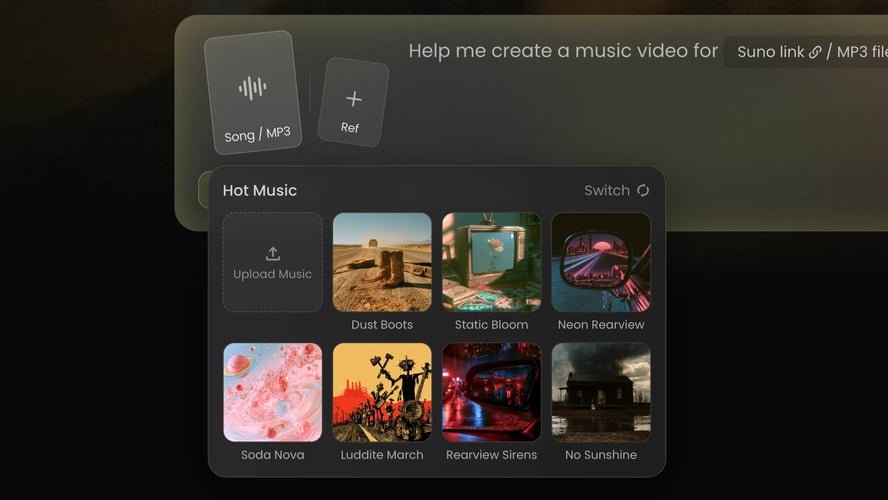 Step 01
Upload an MP3 or paste a supported music link. AI analyzes the track’s rhythm, tempo, structure, and mood.
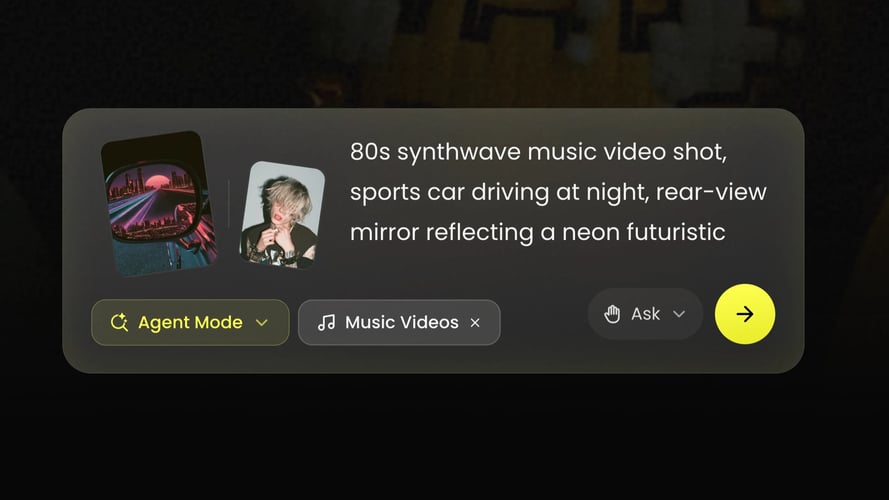 Step 02
Tell AI what you want to see. Add a reference image, choose a storytelling or performance direction, and select an aspect ratio.
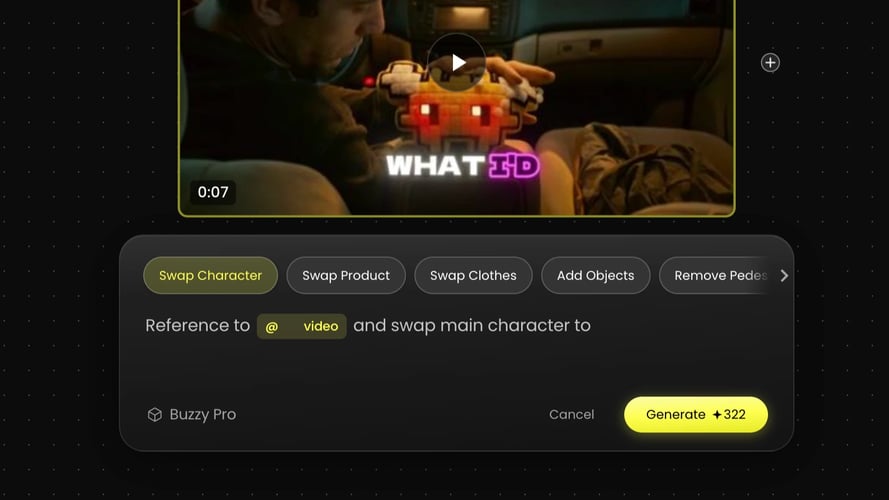 Step 03
AI creates the storyboard and video. Review the result, update any scene, edit the lyrics or captions, and export the final cut.
Create music videos without a studio, cast, or complex shoot.
Turn a new track into visual content in less time, whether you are launching a single or posting on social media.
Explore places, characters, and visual styles that would be difficult or expensive to film.
Use the same artist, character, and style across the full video and future content.
Export formats for long-form video, vertical short-form content, and square posts.
Pick a track and the agent brings its own look, pacing, and shot list.
Everything you need to know about creating music videos with AI.
It is a tool that turns a song into a music video. AI analyzes the track and generates scenes, shots, motion, and transitions based on your idea.
It is built for independent musicians, singers, producers, virtual artists, labels, content creators, social media teams, and brands. Use it for music videos, lyric videos, visualizers, release campaigns, TikToks, Reels, and Shorts.
Yes. Upload your MP3 or import a track through a supported link. Clear, complete audio helps AI read the song more accurately.
No. Upload your track and describe your idea. AI creates the first version. You can refine scenes, style, lyrics, and captions if you want more control.
Yes. For singing and performance shots, AI matches mouth movement to the vocals and lyrics. Results can vary based on the audio, reference image, and generation settings.
You can create videos in 16:9, 9:16, and 1:1. Available resolution, length, and export options may vary by plan and product version.
Commercial use depends on your plan, the assets you use, and the terms of service. Make sure you have the rights to all songs, images, likenesses, trademarks, and other materials before publishing.
No shoot. No complicated editing. Just your music, brought to life.