
Vídeos musicais dirigidos por IA
Isso é mais do que adicionar visuais a uma música. A IA planeja o conceito, a história, as tomadas e o ritmo antes de gerar o vídeo.
Escolha uma faixa, defina um visual e deixe o agente dirigir o resto.
Escolha um ponto de partida, adicione sua faixa e deixe do seu jeito.
Você traz a música. A IA constrói o resto.
Isso é mais do que adicionar visuais a uma música. A IA planeja o conceito, a história, as tomadas e o ritmo antes de gerar o vídeo.
A IA lê o ritmo, o tempo e a estrutura da sua faixa. Cortes, movimento e transições acompanham a música automaticamente.
Faça seus personagens cantarem junto com a faixa. A IA ajusta o movimento da boca aos vocais e à letra para tomadas de performance mais naturais.
Use uma imagem de referência ou crie um personagem. Mantenha a mesma aparência, figurino e estilo em todo o vídeo.
Descreva o visual que você quer ou comece com um preset. Defina o clima, a cor, a iluminação, o estilo de câmera e a direção geral.
Revise o storyboard, atualize cenas individuais, edite letra e legendas e exporte em 16:9, 9:16 ou 1:1 para YouTube, TikTok, Instagram, Shorts e Reels.
Transforme sua faixa em um vídeo finalizado com um fluxo de trabalho simples.
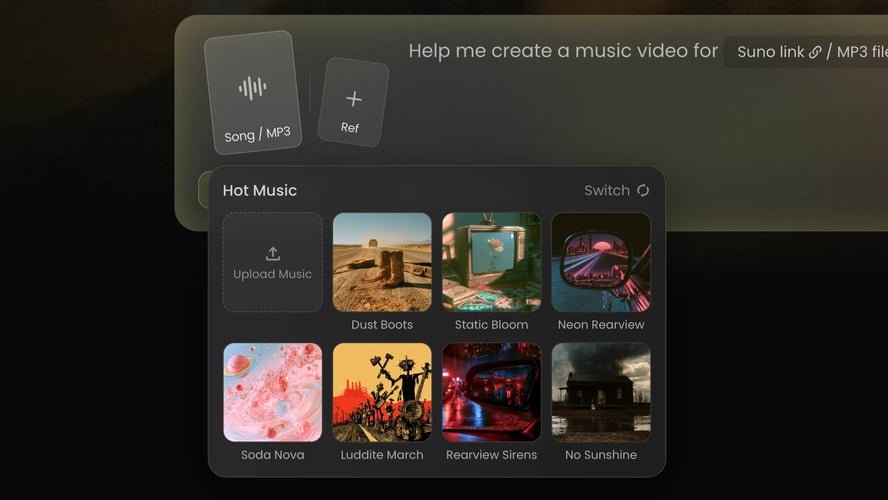 Passo 01
Envie um MP3 ou cole um link de música compatível. A IA analisa o ritmo, o andamento, a estrutura e o clima da faixa.
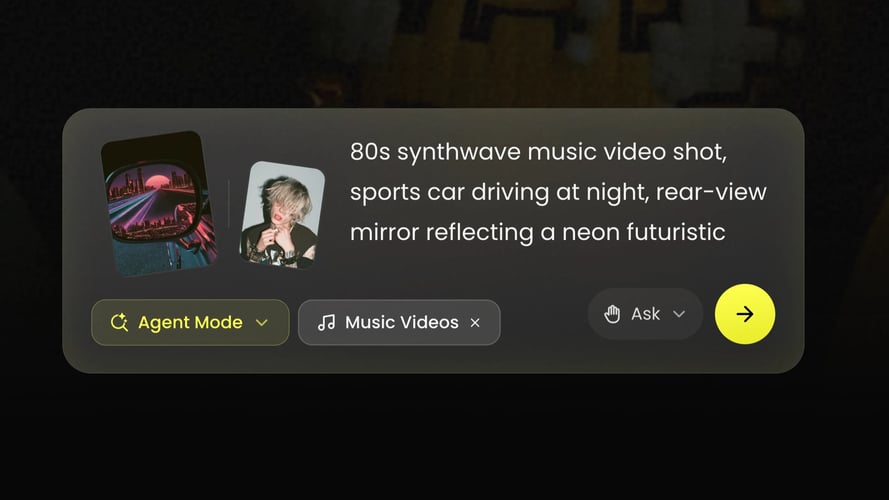 Passo 02
Diga à IA o que você quer ver. Adicione uma imagem de referência, escolha uma direção narrativa ou de performance e selecione uma proporção.
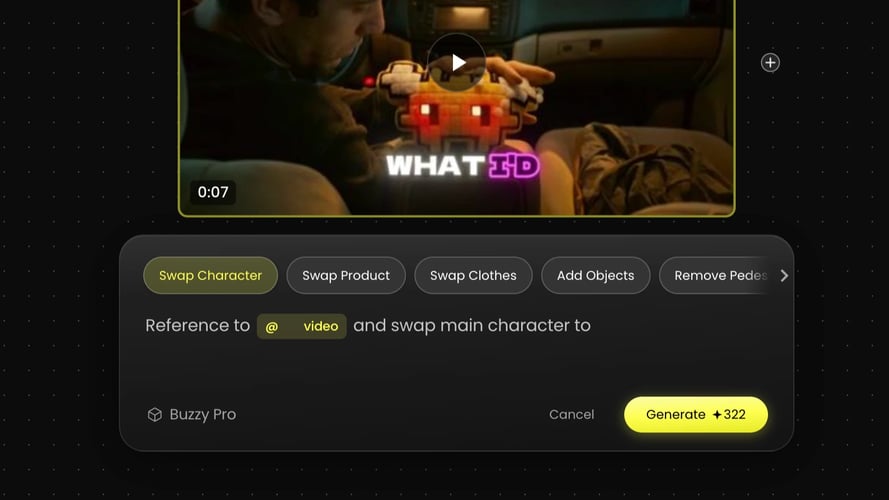 Passo 03
A IA cria o storyboard e o vídeo. Revise o resultado, atualize qualquer cena, edite a letra ou as legendas e exporte o corte final.
Crie vídeos musicais sem estúdio, elenco ou filmagens complexas.
Transforme uma nova faixa em conteúdo visual em menos tempo, seja no lançamento de um single ou em uma postagem nas redes sociais.
Explore lugares, personagens e estilos visuais que seriam difíceis ou caros de filmar.
Use o mesmo artista, personagem e estilo em todo o vídeo e no conteúdo futuro.
Exporte formatos para vídeo longo, conteúdo vertical curto e postagens quadradas.
Escolha uma faixa e o agente traz o próprio visual, ritmo e lista de tomadas.
Tudo o que você precisa saber sobre criar vídeos musicais com IA.
É uma ferramenta que transforma uma música em um vídeo musical. A IA analisa a faixa e gera cenas, tomadas, movimento e transições com base na sua ideia.
Foi feito para músicos independentes, cantores, produtores, artistas virtuais, gravadoras, criadores de conteúdo, equipes de redes sociais e marcas. Use para vídeos musicais, vídeos de letra, visualizadores, campanhas de lançamento, TikToks, Reels e Shorts.
Sim. Envie seu MP3 ou importe uma faixa por um link compatível. Um áudio claro e completo ajuda a IA a interpretar a música com mais precisão.
Não. Envie sua faixa e descreva sua ideia. A IA cria a primeira versão. Você pode refinar cenas, estilo, letra e legendas se quiser mais controle.
Sim. Para tomadas de canto e performance, a IA ajusta o movimento da boca aos vocais e à letra. Os resultados podem variar conforme o áudio, a imagem de referência e as configurações de geração.
Você pode criar vídeos em 16:9, 9:16 e 1:1. A resolução, a duração e as opções de exportação disponíveis podem variar conforme o plano e a versão do produto.
O uso comercial depende do seu plano, dos recursos que você utiliza e dos termos de serviço. Garanta que você tem os direitos de todas as músicas, imagens, semelhanças, marcas e outros materiais antes de publicar.
Sem filmagem. Sem edição complicada. Apenas a sua música, ganhando vida.