From Rap Lyrics and Audio to a Video Brief
An AI rap generator can mean three different tools: one that writes rap lyrics, one that produces a rap song, and one that creates video for a track. This page covers the third task. Start with your recorded vocals and beat; Buzzy’s music-video workflow gives those sounds a visual sequence you can direct. It is not a promise of a separate lyric writer, beat maker, or rapper voice generator.
The distinction changes what you prepare. A rhyme scheme is a writing choice. Flow is the delivery of those words over the beat. Camera movement and scene order are visual choices. Treat them as connected decisions, but do not ask a video prompt to repair an unfinished verse or create a missing vocal recording. Choose a mix whose rhythm and performance already represent the song.
Choose the Audio Version Before the Visual Style
Use the mix with the vocal timing you intend to release. A different instrumental intro or a revised hook can change where a visual transition belongs. Keep notes on the verse, chorus, bridge, and any beat break that matters to the cut. You do not need a frame-by-frame edit plan, but you should know which moments carry the meaning of the track.
If the lyrics are still changing, make a short visual test before committing to a full sequence. The purpose is to evaluate the scene world, performer, and camera direction, not to declare an unfinished recording final. When the song changes, review the affected scenes and captions against the new version.
Separate Performance from Storytelling
A performance-led rap video keeps attention on the artist’s delivery, expression, and gestures. A narrative video uses places, objects, and actions to interpret the words. A lyric-led sequence gives selected lines space on screen. Decide which approach should lead, then use the others only when they add something the main approach cannot show.
A reflective verse might suit a still room and a restrained camera. A hook with a clear energy lift might call for a wider shot or a new setting. These are creative directions, not fixed templates or guaranteed outputs. Buzzy provides a storyboard to review, so the first sequence can help you decide whether the visual choices actually fit the track.
Write a Rap Video Prompt That a Viewer Can Follow
Describe what appears, what happens, and what changes. Name the performer, clothing, environment, light, camera position, and one main action. Then describe the transition that belongs to the next song section. A prompt built from concrete decisions is easier to review than a list of styles or a demand for a “viral” result.
An Artist-Led Studio Example
Try a brief such as: “One performer in a dark denim jacket delivers a reflective rap verse in a warm recording studio. Begin with a steady waist-up shot. Keep the background simple and the hands visible. As the hook begins, move to a closer frontal view while preserving the outfit and lighting.” Attach a suitable reference through the supported workflow when the performer’s appearance matters.
This example describes a desired result, not an existing Buzzy preset. It leaves the beat and vocals in the supplied recording while giving the picture a clear task. If the generated sequence changes too many things at once, simplify the brief and review the revised scene before adding another camera instruction.
A Story-Led Alternative
For a verse about returning home, identify a place and an action instead of illustrating every line literally. An empty platform, an arrival, and a closing view of the neighborhood can create a readable sequence. Keep recurring details stable so the viewer understands the connection between shots. Use captions only where they clarify a line rather than repeating all the information already present in the audio.
For broader track-to-story planning, the AI music video workflow explains how audio, references, and scene review fit together. If the song needs a connected narrative beyond performance shots, explore Buzzy’s film-making workflow for story and shot direction.
Review the Flow, Lip Sync, and Release Frame
Use three review passes. Listen to the track while checking whether cuts respect the phrasing. Watch the picture without sound to assess continuity and camera behavior. Then replay both together to judge the performance. This separates a timing problem from a visual problem and gives the next revision a specific goal.
Check Fast Lines and Ad-Libs
Rap can place several syllables inside one beat, then leave a pause before the next line. Inspect mouth movement at those changes, not only on sustained words. Compare captions with what is actually audible. An ad-lib may need different treatment from the main lyric, and a repeated hook should remain legible without crowding the performer.
Choose the Frame for the Release
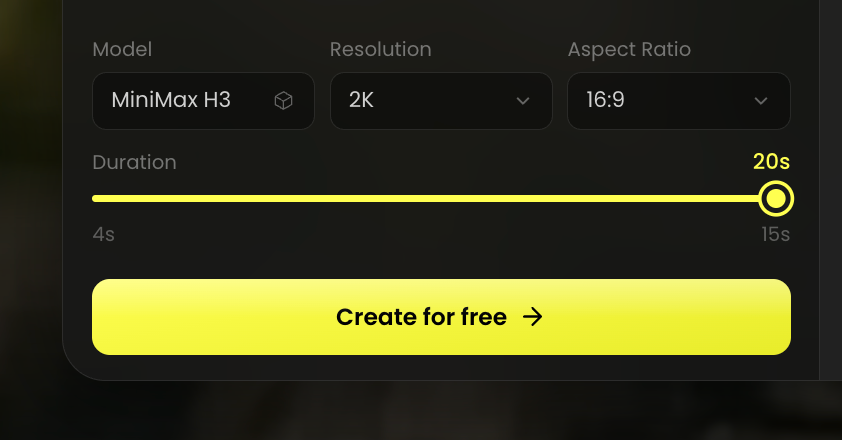
Buzzy’s music-video feature describes 16:9, 9:16, and 1:1 outputs. A horizontal release can give an environment more room; a vertical excerpt needs the artist and any words to remain readable within a narrower composition. Choose the destination early, then check the available settings in your project. The final resolution, duration, and export options depend on the live workflow and account.
The AI Rap Generator video approach works best when each revision solves one missed decision: the performer’s appearance, a scene transition, a caption, or a timing moment. Keep the original audio as the reference throughout. Before release, confirm that the track and visual materials are yours to use; generated video does not itself establish permission for a song, artist likeness, or reference image.