
 01
Start with One Clear Object
Use a photo of one object that fills the frame. A front view on a simple background beats a tiny product in a cluttered room or a crop that hides the part you want to press.
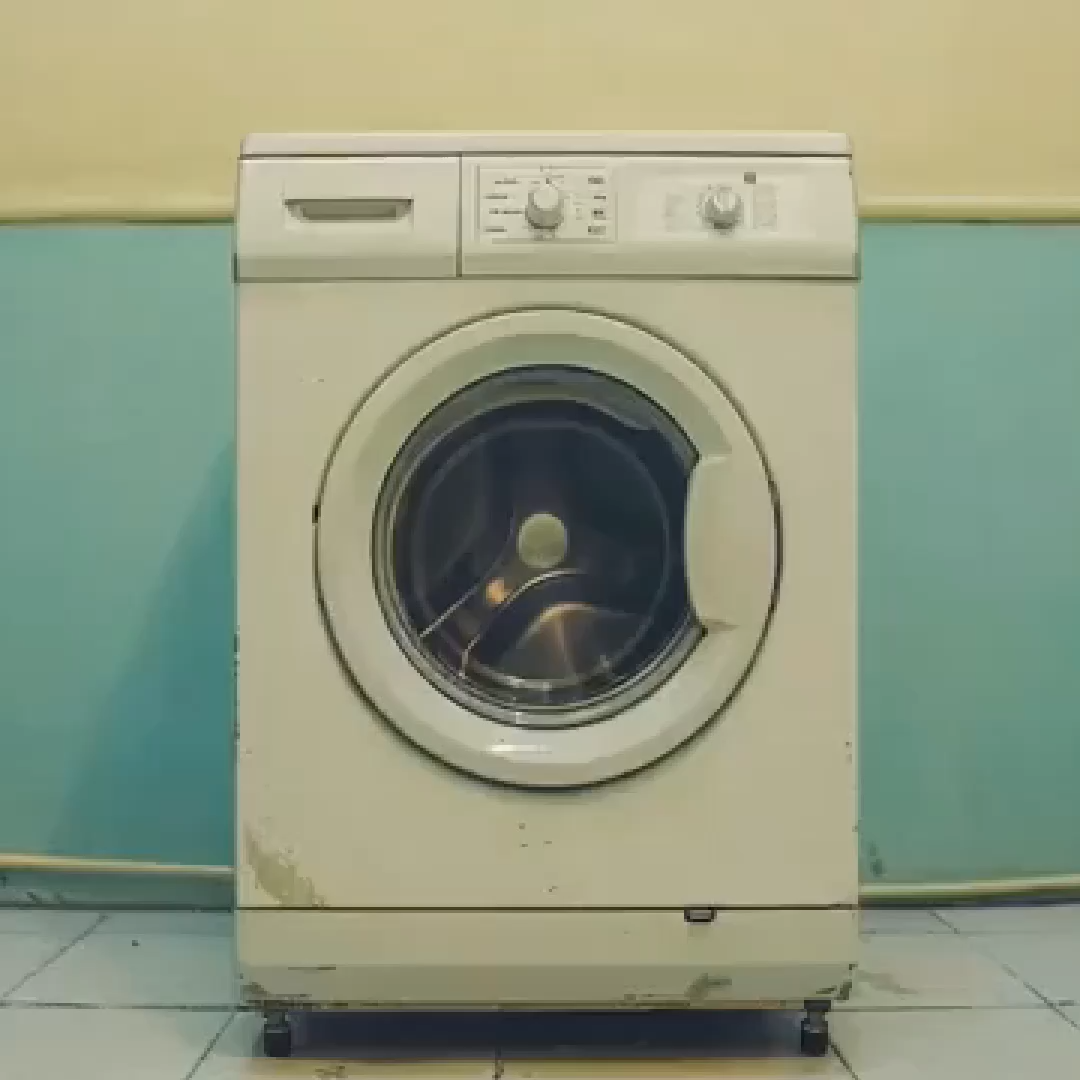
The preview opens on a cream front-loading washer against a beige and teal wall. Two hands then hold it like a small soft object and press the round door inward until the body folds. Compare the door and the dials before you extend the clip.
Recreate this object press
Add your photo and follow the squeeze in the preview.
Squish preview
The clip on this page is the press to follow
Press brief

Follow the preview, name the object and the press, and keep the squeeze on that object. Watch the front surface on the first take. The clip is generated imagery, not a crush test.
01Use a photo of one object that fills the frame. A front view on a simple background beats a tiny product in a cluttered room or a crop that hides the part you want to press.
 02
The AI Squish Effect takes the press from the preview. Name two hands, the part that caves in, and a soft fold. Leave brand logos and a second object out of the brief.
 03
Play the short result. The object should still read at the start, and the fold should stay on that object. If the shape swaps or the hands cover everything, change the photo or the brief before you extend the clip.
This page stays on one short press of an object. Open a cartoon workflow for a drawn version, or a film workflow when the job is a longer scene.
What the first take should prove, which photo keeps the object readable, and why this clip is not a crush test or a squeeze of a person.
Judge one continuous square clip, about five seconds. It opens on a cream front-loading washer against a two-tone wall, beige above and teal below, with a round glass door, control dials, and a scuffed lower panel. Two hands then hold the washer like a small soft object. Thumbs press the door inward until the cream body folds, and the end is a close view of that folded mass still between the fingers. The door and the dials should still match the opening frame before the press hides them. A new object, a face as the subject, or a cut to another room has not followed this preview. The reference is 1080 by 1080. It is generated imagery, not footage of a real machine being crushed.
Upload one clear photo of an object, large in the frame, with the part you want pressed easy to see. A front view on a simple background beats a group of products, because the hands need one silhouette. Use only an object you have the right to depict. Do not upload a person, and do not upload anyone under 18. This preview squeezes a washer, not a face or a body. The upload is the object. The preview is the change: a rigid front view, then two hands, then a soft fold. Confirm the file types shown in the recreate panel before you submit.
You can replace the uploaded photo, rewrite the press brief, and use the recreate controls on the panel: subject photo, prompt text, and the reference clip. Useful brief edits are object color, which part caves in, and how far the fold goes. Ask for one change at a time so you can see what moved. Changing the wall color changes the clip less than swapping the object. The reference on this page runs about five seconds in a square frame. Resolution, duration, and credit cost for your own export stay on the live action you select. This page does not publish a fixed export spec, a material test, or a measurement of force.
No. The fold is a generated look. It does not measure strength, prove a material, or show what happens if you press a real washer. Do not treat the clip as a safety demo, a durability claim, or instructions for damaging property. The preview keeps one object, two hands, and a soft fold in a single shot. A convincing dent does not turn the export into a lab result. If a viewer could mistake it for a real crush, label the clip as generated.
Stay here when you want this one press: a rigid object, two hands, and a soft fold. Open the cartoon clip template when you want a drawn object and no squeeze. Open the AI Film Maker when the job is connected scenes and a longer story. Do not use this brief to squeeze a person, a face, or a pet. This preview is not a body effect.
The hard moment is the press. The door can vanish under the thumbs, the dials can smear, or the washer can turn into a different lump before the fold reads. A short first take shows whether the object survived long enough to recognize. If the hands are right but the front panel is muddy, change only the press line. If the object no longer matches the upload, replace the photo before you spend more credits. Extend only the take that still matches the object at the start. Buzzy shows a start-for-free entry, and generation still follows the credit and plan limits in your account. This page does not promise unlimited free exports, a fixed resolution, or a guaranteed runtime.
Follow Buzzy's current terms for generated media, and only upload images you have the right to use. An AI Squish Effect result is still a generated clip under those terms. The template does not grant permission to depict a branded product you do not represent, and it does not grant a right to present the fold as an unedited crush. Do not upload people or minors as the subject of this press. Review likeness and trademark rights before you publish, and label the clip as generated when a viewer could mistake it for a real test. This template does not add a guaranteed audio track unless the live panel offers that control. If the clip will run in an ad or on a channel, confirm the usage rules in your account first.
Open the preview, add one object photo that fills the frame, and check the front surface after the press before a longer export.